


One of the trickiest parts of buying wall decor is visualizing it. How can you be sure that stunning panoramic wallpaper won't be too big for your living room, or that its actual colors will complement your furniture? This is where the **online wallpaper simulator** comes in. At Sunshinewall, we've developed an approach that goes beyond gimmicky 3D apps to focus on **accurate customization** and **accurate rendering**.
This comprehensive guide reveals the limitations of traditional simulation tools and introduces you to the Sunshinewall method: a powerful combination of contextual visualization, an intelligent cropping calculator, and, most importantly, physical validation using HD samples. Learn how to use these tools to ensure your future wall decor is both an aesthetic and technical success.
1. Why Traditional 3D Simulation Tools Reach Their Limitations
Simulation applications based on augmented reality or simply overlaying a photo of your wall can be misleading, leading to costly mistakes when **ordering wallpaper online**.
1.1. The Aberration of Scale and Perspective
The main drawback of online wallpaper simulators is their inability to accurately represent the actual scale, especially for panoramic views. The design might look perfect on your phone screen, but once printed across a 3-meter width, the patterns can appear too small or, conversely, disproportionate. Furthermore, the perspective of the wall image is often distorted, making the final design look unrealistic.
1.2. The False Fidelity of Colors and Lighting
The color displayed in the simulator depends on your device's calibration, the quality of your original photo, and the lighting in your room. A wallpaper might look perfect in broad daylight on the app, but appear undesirably dark under artificial evening light. The simulation should not replace human judgment and physical samples.
2. Sunshinewall Simulation: Custom Precision and Expert Cropping
Our approach focuses on the elements that guarantee a perfect fit of the panoramic pattern to your actual wall surface. Our ordering interface is our most reliable **online wallpaper simulator**.
2.1. The Dimension Calculator: The Basis of Any Successful Simulation
The most critical step is to enter the exact dimensions of your wall (including a 5 cm safety margin). Our tool calculates the number of panels and, most importantly, how the panoramic image will be cropped to fit. If a key design element (an animal head, a tree, a vanishing point) is too close to the edge, you'll see it immediately.
2.2. The Cropping Preview: Mastering the Final Rendering
Once the dimensions are entered, the graphical interface displays a truncated view of the design, precisely representing the area that will be printed. This allows you to:
- **Centering the elements:** Adjust the pattern so that an important decorative element is well centered between two pieces of furniture or in a niche.
- **Avoid unsightly cuts:** Ensure that the edges of the pattern do not cut off a face or important figure in an unaesthetic way.
2.3. Use of HD Ambient Photos (Contextual Simulation)
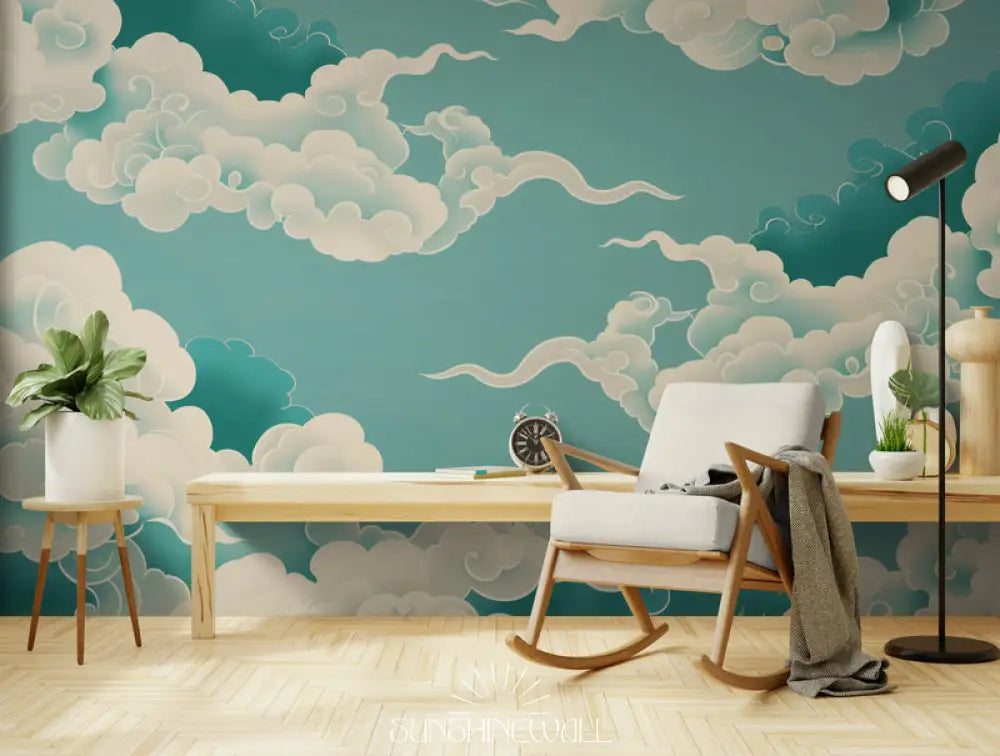
Each product page is enhanced with several high-definition photos showcasing the wallpaper in a variety of interior styles (contemporary, bohemian, minimalist). These professionally created visuals offer a much more reliable simulation of the aesthetic result than 3D renderings, as they show the pattern to scale, in relation to optimal furniture and lighting.
3. The Physical Validation Technique: The HD Sample, the True Simulator
No online wallpaper simulator can replace physical validation. The Sunshinewall sample is the ultimate verification step.
3.1. The Role of Touch: Texture and Material
The sample allows you to touch our Premium Non-Woven Wallpaper. You can feel its thickness, its matte texture (which eliminates glare), and its durability. For designs mimicking stone or concrete, the sample lets you assess how realistic the texture illusion is.
3.2. The Light Test: From Day to Night
Stick or hold the sample to the wall in question. Observe it at different times:
- **Natural Light:** How do the colors react to direct sunlight (South facade) or to cool light (North facade)?
- **Artificial light:** In the evening, under your lamps (warm yellow or cool white), does the wallpaper maintain the desired ambiance? Dark wallpapers react particularly to lighting.
3.3. Harmony with Existing Elements
Use the sample as a color tester. Place it next to your sofa, cushions, the wood of your furniture, or the paint on the adjacent walls. If the jungle green blends perfectly with the green of your plant, the simulation is successful.
4. Expert Tips: Maximizing the Rendering of Your Panoramic Image
To go beyond the online wallpaper simulator , follow these recommendations from decoration professionals.
4.1. The Importance of Ceiling Height and Vertical Patterns
If your ceiling is low, choose patterns with a strong vertical emphasis (grasses, palm trees, tree trunks) to create the illusion of greater height. The Sunshinewall cropping simulator allows you to verify that the printed portion effectively maximizes this height effect.
4.2. Managing Technical Constraints (Doors and Windows)
During the simulation, identify where the wallpaper will be cut by an opening. If the panoramic design is centered on a window, ensure that important elements (a castle, a lake) are not lost in the cut. Our dimension calculator allows you to anticipate cutting the strips around these obstacles.
4.3. The Psychological Impact of Colour (Decor Psychology)
Consider the dominant color in your simulation: Japanese blues and greens promote calm (bedroom/office); bright hues and tropical patterns promote energy (living room/entrance). The **online wallpaper simulator** should validate your emotional choice as much as your aesthetic one.
5. [FAQ] Simulation, Measurements and Control
Q: I can't see the full pattern on my wall in the simulator. Is this normal?
A: Yes. The panoramic format is often larger than your wall. The tool shows you the portion that will be printed (the cropping). That's why it's crucial to adjust the image, if possible, to preserve the most important part of the design.Q: Is there a mobile simulation app?
A: Our platform is optimized for mobile, but we prioritize the accuracy of our customization calculator on our website. For aesthetic validation, we strongly recommend ordering physical samples, which is more reliable than any AR application.Q: How long does it take to receive the sample?
A: Samples are usually shipped within 48 hours, allowing you to quickly proceed to the final order stage. This small delay is worthwhile for guaranteed high satisfaction.Q: Is the simulation of the texture (stone, concrete) true to reality?
A: Our HD images show the relief very convincingly. However, only the actual sample will allow you to feel the texture of the non-woven backing and confirm that the illusion is perfect in your lighting environment.
Leave nothing to chance. With Sunshinewall's precise simulation tools (cropping calculator and HD samples), you're guaranteed that your **online wallpaper** will transform your interior exactly as you envisioned. Start your project with confidence.